Nano Banana 2 in Google Ads What I Found Testing It for Granular
In February 2026, Google announced that Gemini 3.1 Flash Image, aka what sounds like a Donkey Kong power up, Nano Banana 2, would be integrated within Google Ads Asset Studio to help create ad creative using AI.
At a high level, this is a really cool feature and something we all knew was coming.
That said, after actually getting in and using it, I do not think it is quite there yet. I ran into a decent number of errors, some limitations, and a few moments where I was like wait why can’t I do that. Nothing crazy for a V1, but definitely something to keep in mind.
Before getting into where to find it, how to use it, and what I tested in the Granular account, a few quick thoughts.
I work with a lot of advertisers who run into challenges producing ad creative. Often it is because their design team is focused on other priorities outside of Google Ads. Which, as a side note, has always been interesting to me, especially when ads are driving a meaningful portion of revenue. But either way, this is exactly where a tool like this can help fill that gap, at least in the short term.
I do think this will be helpful if you need to get something live quickly, do not have a ton of creative, or are a bit looser with brand guidelines.
At the same time, I am a little skeptical. There is a real chance this turns into a wave of ads that all start to look the same. And if you and your competitors are all using this, you are basically playing on the same field, which makes strong ad creative even more important.
What stood out to me though is that a lot of this does not actually feel new. I have already seen Google make these types of edits inside accounts, especially in campaigns with limited assets. Turning images into video, adjusting creative, applying AI recommendations, this is already happening.
This just pulls it into a separate tool and puts it in front of you. It feels less like new functionality and more like Google showing you what it was already doing, and giving a bit of an illusion of control.
How to get to the Asset Studio:
Getting there is pretty simple.
- Open your Google Ads account
- Go to Tools in the sidebar
- Click Asset Studio
From there you will see a few different options to create assets.
You can:
- Pull in images and videos directly from Google Drive or Dropbox
- Use assets you have already uploaded
- Start creating something completely new
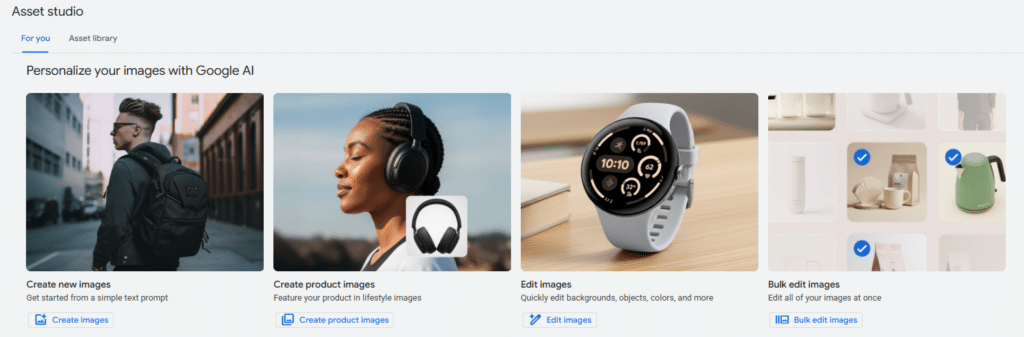
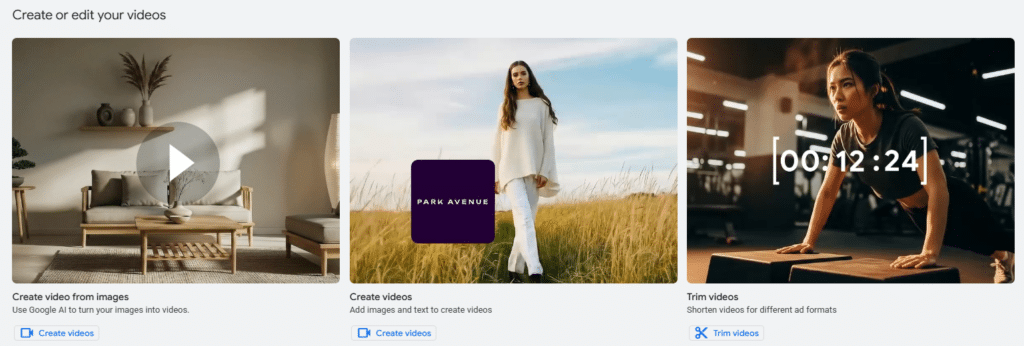
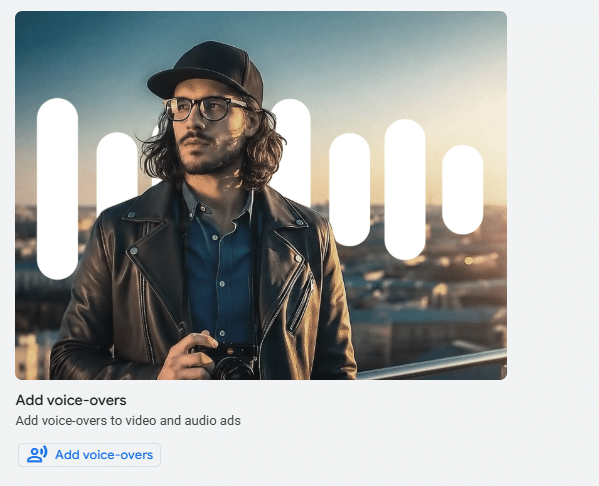
Putting it to the test
Alright, time to actually try it.
I tested this in the Granular account. Since we are focused on lead generation, product images are not really relevant, so I went with:
“Create new images”
All I did was hit Create and it prompted me to describe the type of image I wanted.
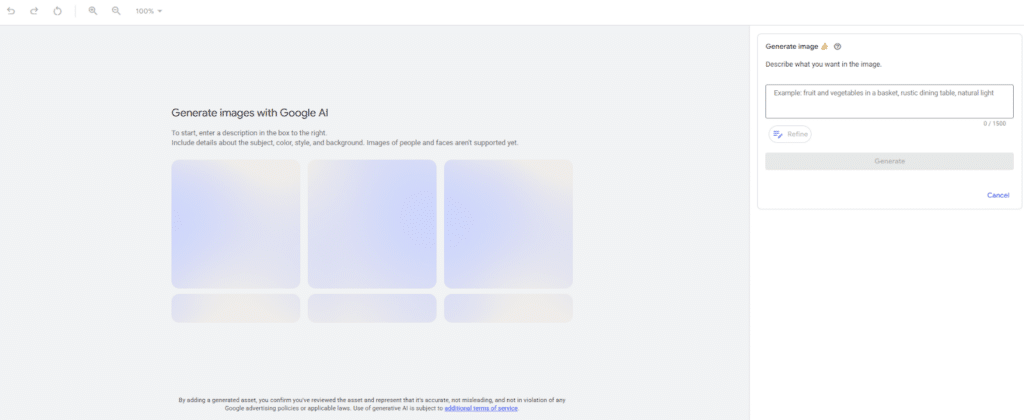
For the prompt, I used a custom GPT I built from a past creative planning session with Granular’s CEO, Jordon Meyer. I basically trained it on what he likes and does not like in ads and then asked it to write me a Nano Banana prompt under 1500 characters.
Here is what I used.
Create high-performing B2B paid media ad creatives for a digital marketing agency. These ads are for retargeting audiences already familiar with the brand, so focus on building trust and credibility rather than awareness.
The ads should feel like proof, not marketing.
Use specific, measurable outcomes such as revenue growth, lead volume increases, cost efficiency, or MER. Avoid vague claims and do NOT mention ROAS, impressions, or generic performance language.
Tone should be confident, factual, and restrained. No hype or buzzwords like “best,” “game-changing,” or “maximize.” Prioritize clarity and specificity.
Example messaging styles:
- “73% more qualified leads in 90 days”
- “Paid media that drives real revenue”
- “All results. No hype.”
- “You deserve better paid media.”
Design style should be minimalist and professional:
- clean layouts, strong typography, high contrast
- black and white or very limited color palette
- lots of white space
- subtle, credible, “anti-ad” aesthetic”
Avoid:
- stock photos of people
- fake dashboards or generic charts
- flashy gradients or overdesigned visuals
Create multiple distinct concepts:
- case study / before-after
- bold statement
- proof-driven (results-focused)
- ultra-minimal “anti-ad”
First impressions
Here’s what Nano Banana Created:
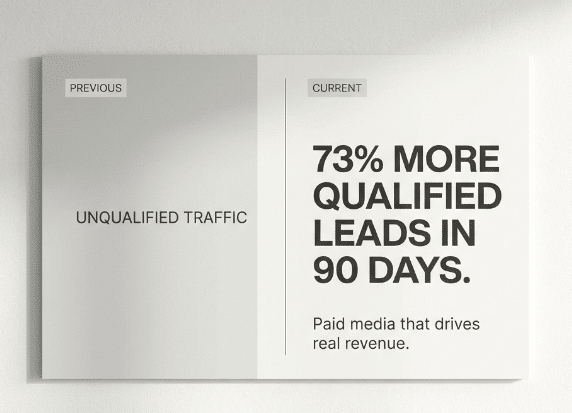
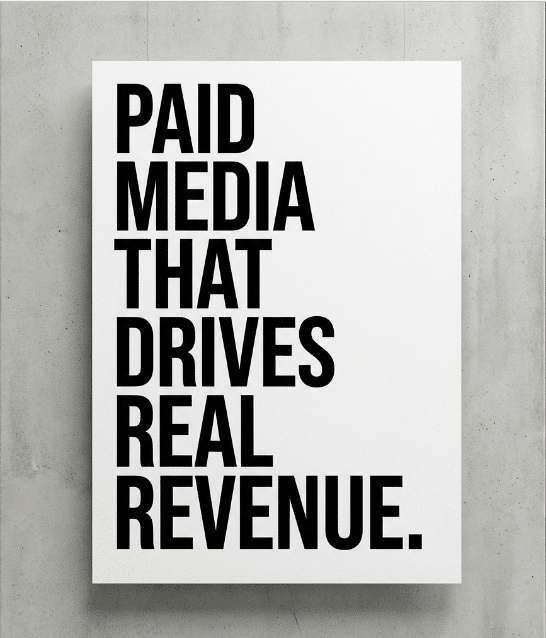
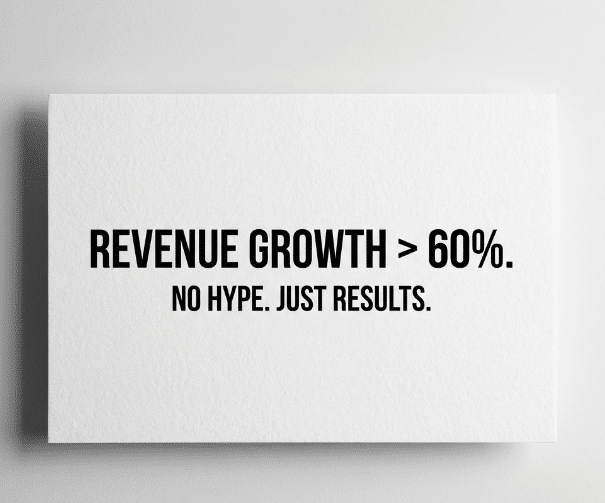
I selected one and went into the editing studio where you can:
- Use “Google” AI to edit
- Prompt Nano Banana again
The first thing I tried was adding a Granular logo. I had to prompt Nano Banana as I did not see an alternative option to add an image (or logo) to the design.
- Did not work, got an error
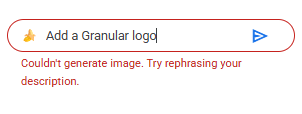
So then I tried going the manual route and adjusting things like color.
- Options were pretty limited
- It felt more like light editing than actual creation
Another thing I noticed, and this surprised me, there is no clear way to apply brand guidelines.
From what I can tell:
- Brand guidelines are really only being used in Performance Max right now
- There is no easy way to carry branding into these assets
Which feels like a miss because that would be one of the most useful parts of a tool like this.
Testing Video Creation
Next I tried the Create video from images feature.
Your options are:
- Pick two images called “scenes”
- Choose either five or ten seconds
My first attempt:
- One photo of Jordon and Steve
- One of our top performing ads that says “Grow your business with Granular”
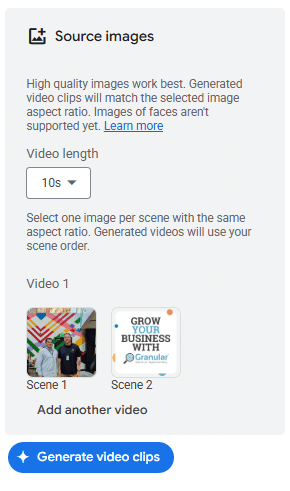
Result:
- Error
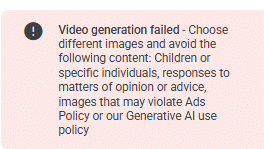
At that point I was not even surprised.
So I switched it up:
- Removed the people photo
- Used a generic Milwaukee city image instead
And honestly, this part was not bad.
- It created a slow pan across the Milwaukee image
- Added some subtle animation to the original Granular ad which was surprisingly on brand

Saving the video was a little clunky, but overall it wasn’t ground breaking (as Google already does a lot of this in Pmax campaigns without video assets with or without you knowing it) and it was potentially usable.
Final Thoughts
Overall, this is a really interesting first version and it is pretty clear this is just the start.
Right now it feels a bit buggy and limited, especially for lead gen advertisers, and it is missing some key features like brand controls. That said, I can still see this being helpful for eCommerce brands that need quick product creative or teams that just need to get something live fast.
At the end of the day, this is just a tool, and like any tool, it depends how you use it. It is not going to replace strong creative thinking. If anything, this makes ad creative more important. If everyone has access to the same AI, the brands that stand out are the ones who know how to actually use it better. So test it, use it, push it, just do not let Google AI become your entire creative strategy.
Questions?
If you have any questions or are interested in having Granular help grow your business, please use the button below to get in touch!
Related Articles